Web ApplicationsSoftware DevelopmentDedicated softwarePlanning web applicationsWeb application technologiesIT strategic decisionsUX of web applications2 min czas czytania1878 znaków281 słów
Web applications - everything you need to know
Learn how a web application differs from a website and mobile application. A simple guide with application examples for business owners.

Konrad BarejkoYour Business Partner, CEO · Experienced technology leader and entrepreneur with over 20 years of experience in the IT industry. Specializes in digital transformation, software product development and building engineering teams.
For nearly 15 years, he led B2B teams at a global technology corporation, managing a 40-person team of developers and engineers, multi-million dollar budgets and products deployed at the scale of tens of millions of licenses in EMEA and global markets.
Today, as the founder of his own consulting firm, he helps small and medium-sized businesses make smart technology decisions - from website and online store development, to process automation, to comprehensive IT consulting.
He combines strategic thinking with a hands-on technical background in web development, DevOps and software architecture. He focuses on a collaborative culture, agile methodologies and solutions that realistically support business growth.
Publikacja
Aktualizacja
What do you find in the article?
If you're wondering,Whether a web application can help your business, this article dispels all doubts. Without technical jargon, it explains what a web application really is andWhy it can become your silent partner In business development.
You will learn,what problems it solves, how it automates daily operations, and when it's worth investing in its creation - and how to do it wisely. The article shows that a web application is not a luxury reserved for corporations, but aa viable tool for small and medium-sized companies, who want to operate more efficiently, serve more customers and have more control over their business.
This is a guide for entrepreneurs who want to operate in a modern way, but without the need to become an IT expert. Everything is given clearly, practically, with an emphasis onthe effects that the application brings to the company, not just on how it is built.
An ideal first resource if you have an idea for an application, want to automate processes or just... stop doing everything yourself.
Web applications from A to Z - Article series - A guide for entrepreneurs
This series was created for business owners and startups who want to make an informed entry into the world of web applications - without the unnecessary technobabble.
In the following sections, we show what a web application is, what the development process looks like, what technologies are worth considering, how much it costs and how to avoid the most common mistakes.
Thanks to these articles:
- You will understand if and when it is worth investing in an application,
- You will learn the capabilities of the technology without the need for programming,
- You will prepare to talk to the contractor like a professional.
It's not just a guidebook - itdigital road map For your business.
Keep it, revisit it, share it - and use it when the moment comes to take a step toward a new quality.
Related Posts
- Web applications - everything you need to know
Learn how a web application differs from a website and mobile application. A simple guide with application examples for business owners.
- 1.Dlaczego firmy inwestują w aplikacje webowe? Statystyki, które warto znać w 2026 roku
Dlaczego coraz więcej firm inwestuje w aplikacje webowe? Zobacz kluczowe statystyki, przykłady z rynku i sprawdź, czy to rozwiązanie dla Twojej firmy.
- 1.
"Is it time for an app for my company yet?"
I remember a conversation with one of my clients - the owner of a construction equipment rental company. He called and said:
"Konrad, people are calling, emailing, asking about availability. And I'm making notes in Excel about what's free, what's booked... I'm starting to run out of hands."
It is at times like this that the question that may also be on your mind arises:
"Does my company need an app?"
You are not a programmer. You're not in the IT business. But you are an entrepreneur - and you know that technology can help you, as long as someone explains it to youhumanely.
This article was written just for you.
If you're running a business, developing a startup, or have an idea for a new service and want to build something bigger than just a website - here are the answers you need.
You will learn:
- What a web application really is (no jargon),
- When it is worth creating it (and when not yet),
- What the process looks like - step by step,
- How much it costs and how not to burn through the budget,
- and how to prepare to talk to the contractor like a partner, not a layman.
This is not a guide for IT professionals. It's a guide for people who are in business and want to do it smarter.
What is a web application (and how it differs from a website)
Let's start with the basics, because these definitions often get mixed up.
Web applications (Web applications) are interactive tools that run through a web browser. But how exactlyweb application works? Unlike traditional websites, they offer advanced features such as data management, real-time communication and integration with other systems.
Web applications, also known asweb applications, are programs that run in a web browser and do not require installation on the user's device. As a result, they can be accessed from any location and device with Internet access.
Example?
If you have a company website with an offer - that's a website.
If your customers can log in, check the status of an order, send a document - it's already a web application.
Another example from life:
For one of our clients - a transportation company - we created a panel for drivers. They log in, see their routes, update order statuses. It works in a browser, on a phone and on a computer.
They don't have to install anything. It is just a web application.
What sets it apart?
- Works online - through a browser
- It may look like a website, but it reacts like a program
- Supports login, forms, user data
- Works on phone and computer (sometimes offline as well)
And now the most important:Web application is not a "fad for corporations". This is often a very specific answer to a problem you have in your company today - only you don't yet know that it can be solved with an app.
Why do companies create web applications? 6 real reasons
Before you invest in an app, it's worth asking yourself:Why do I actually need it?
Because a web application is not an end in itself. It isproblem solving tool, automation, making life easier for you, your employees and your customers.
Over the past few years, I have talked to dozens of business owners. Below I've collected the most common reasons why they decide to create their own web application - you may find yourself here, too.
1.Automation of repetitive processes
Do you have an employee who pastes data from email into Excel every day? Customers submit forms that someone then manually transcribes into the system?
Sound familiar?
A web application can automate many of these tedious tasks. For one company in the training industry, we created a system where participants sign up for a course, and all the logistics - from confirmations to invoices - happen automatically. The savings? Several hours of work per month. Every month.
2.Better customer service - 24/7, no emails or phone calls
Instead of "Please send an inquiry," give the customer apanel, in which he will do everything himself.
Orders, status, invoices, service requests - available in one place whenever he needs it.
One local transportation company has launched a simple app where a customer logs in and sees what's happening with their order. The result?
Less phone calls. Less nerves. More time for employees.
3.Increase sales through new channels and user experience
The application is not just "service" - it's alsosale.
If the customer can configure the product himself, select accessories, place the order and pay - you increase the chance that he will do so.
For a company offering online services, we created a service configurator, accessible from a browser - something like the "order panel from Lidl, but for B2B services."
Sales rose 26% in the first quarter.
4.Building a digital product - SaaS, platform, marketplace
Do you have an idea for a new service or product? Or maybe you want to create a tool that others will use?
A web application can be the basis ofYour digital business:
- course platform,
- billing application,
- reservation system,
- Marketplace for a specific industry.
It is at this levelwebsite is no longer enough.
You will soon read more about it in the article:Off-the-shelf software vs dedicated application | Coming Soon Part 6 of 8
5.Stand out in the market
When everyone has similar sites and offeringsuser experience can decide who will be remembered.
The web application gives you the opportunity to createsomething unique - A solution that works differently than everyone else. It could be an interactive dashboard, an unusual customer experience, an API integration....
Example: an HR client provided partner companies with a simple panel for ordering temporary workers. They sent the link - and the competition continues to handle orders through.... Word.
6.Moving away from the limitations of off-the-shelf systems
"We have a CRM, but half the stuff works around."
"In WordPress, it takes four plugins to get something going."
"We have to export the data and manually link to the report."
Do you know it?
Ready-made solutions have their limits. And at some point a growing company begins to stumble over them. A web application isthe ability to build exactly what you need - And nothing else.
You already know,why companies choose to develop a web application. But what's next?
Time to know,what the process of creating it looks like - Step by step, without technical confusion.
How does the web application work?
Web application is based on a client-server architecture. What does this mean in practice?
The user accesses the application via a web browser - what he sees and interacts with (buttons, forms, panels) is the so-called frontend. It runs on his device - computer, tablet or phone.
But all the "magic" happens in the background, on the server - where the so-called backend runs. It's the one that processes data, writes information to the database, verifies logins, responds to queries and integrates with other systems (e.g. payments, emails or external CRM).
Because everything is done online, the application can be accessed from anywhere and on any device - all you need is a browser and Internet access. You don't have to install anything, update anything or worry about compatibility with your operating system.
This solution gives you tremendous flexibility - both to you as a business owner and to your customers or employees. Data is always up-to-date, availability is instantaneous, and changes - such as adding a new feature - can be implemented without involving end users.
So if you're wondering,how the web application works, think of it as a modern "digital office" that is available wherever you have internet - and that grows with your business.
What is the process of developing a web application? Step by step, no jargon
If you have never developed an application before, the whole process may seem complicated. But rest assured - you don't have to be a programmer to understand it.
In fact, most of the clients I work with,no technical backgroud. And it is with them in mind that I created this simple guide.
Here are the 6 stages we go through together from idea to application launch:
1.Identifying your needs - i.e. talking about your business, not your code
We start by understanding what you want to achieve.
We are not talking about technology yet. We're talking aboutthe problem you want to solve.
I ask you:
- What does this process look like in the company today?
- What works well and what is frustrating?
- Who are your users - customers, employees, partners?
For the owner of the construction company, it was:
"I want traders to be able to create offers quickly and not confuse the rates."
And that was enough for us to build the concept of a tool that would realistically help the sales team.

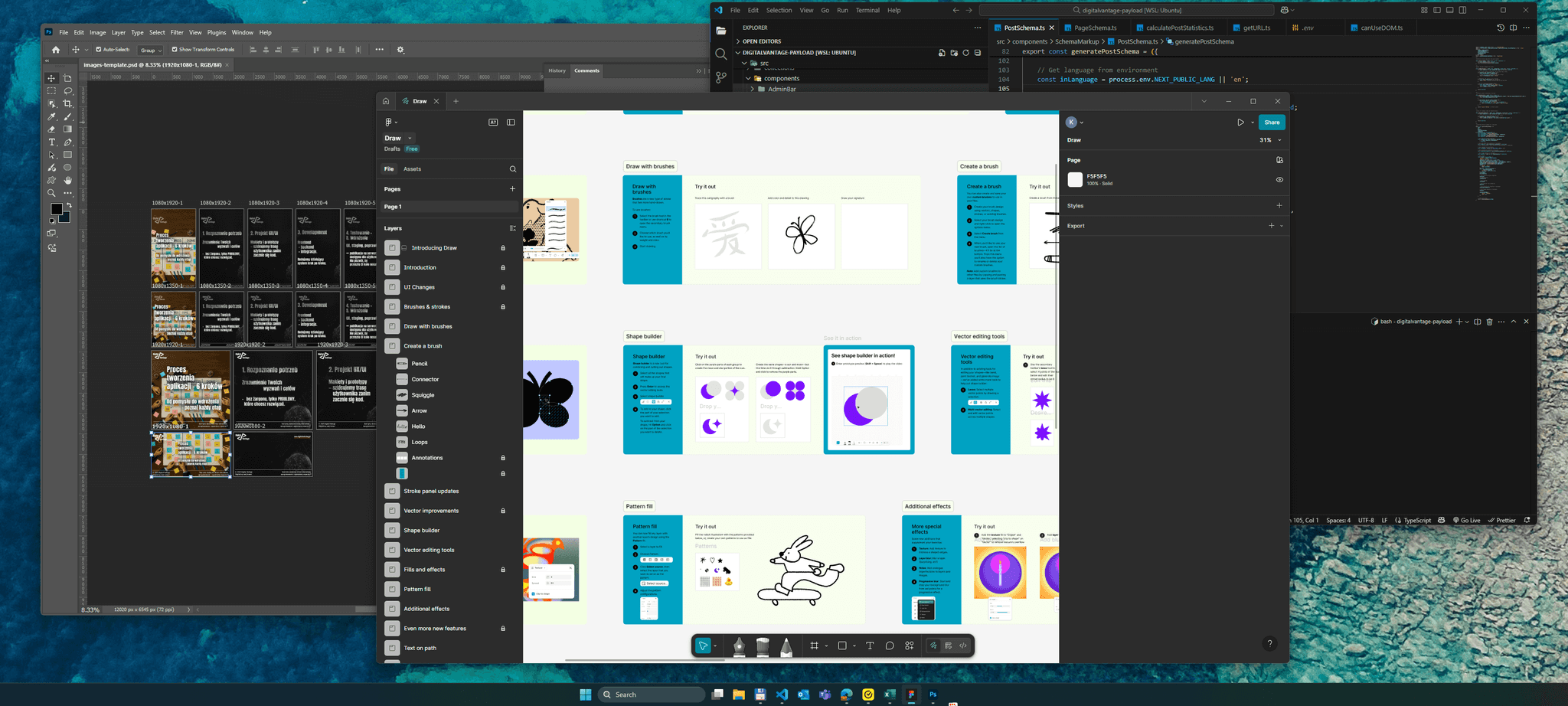
2.Planning and design (UX/UI)
At this stagewe draw, we don't code.
We create so-called mock-ups (wireframes), or "sketches" of the application - what it will look like and how the user will navigate through it.
Imagine it like an apartment plan: before we build the walls, we know where the kitchen, bathroom and windows will be.
This is also where we make key decisions:
- How many screens will there be and what will be on them?
- What paths does the user take?
- Is everything simple and intuitive?
Worth knowing: At this stage, you can often test the prototype, such as clicking for a "pretend" application - before you spend a zloty on programming.
3.Programming - or translating vision into code
Only now are programmers - frontend and backend developers - coming in.turn the project into a working system.
What happens in this step?
- The interface (what the user sees - e.g. login panel, dashboard, forms) is created
- We create application logic (e.g., data storage, logging, user roles)
- We add integrations - with payment system, emails, CRM, APIs
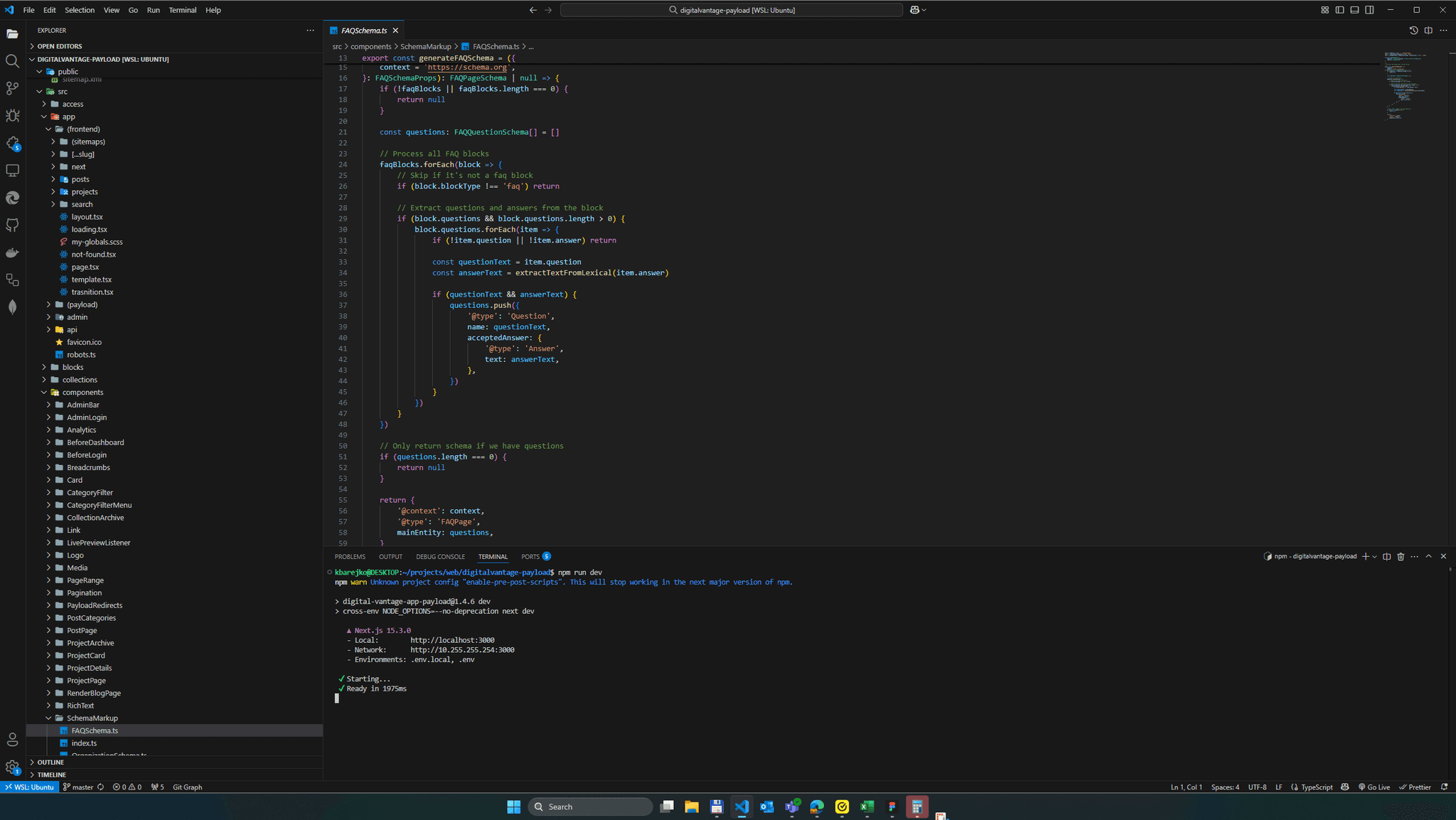
For web applications, the most common technologies used are.React + Next.js on the frontend andNode.js On the backend - modern, efficient and flexible.
But rest assured -.You do not need to know these names. You are supposed to know what the application is supposed to do. The rest is handled by the team.
4.Testing - before customers see it
Before the application reaches the hands of users,check that everything works as it should.
- Does the data record correctly?
- Are the forms intuitive?
- Is it impossible to "spoil" the application with an accidental click?
Often we make available the so-called.staging - A trial version that you can click on, comment on, check out.
This is a great time to work out the details before deploying to production.

5.Deployment - that is, your application goes out into the world
When everything works and is approved - it's time to publish.
The application goes to a server (e.g. Vercel, VPS or cloud), gets its own domain and becomes available online.
At this point:
- Users can register and use the system,
- You can manage data, orders, orders,
- The team can work faster and more efficiently.
6.Development and maintenance - it's not the end, it's the beginning
Best appsgrow with the company.
That's why it's a good idea to plan early on:
- Gathering feedback from users
- Adding new features step by step (e.g., every 3 months)
- Maintenance, upgrades, backups
- Constant support and contact with the team
📌Pro Tip: You don't have to build "everything at once." Instead, createMVP - version with the most important features - and then develop the system according to real needs.
🔗You can read more about MVP in the article:What is an application MVP? | Coming soon Part 7 of 8
How much does it cost to develop a web application? A guide for the entrepreneur
Not a day goes by that I don't hear a question:
"How much will it cost?"
And it's a very good thing you asked - because this is not an expense you take from the change in your wallet. It'sinvestment, which is expected to pay for itself. But ... what does the cost of the application depend on?
Let's try to break it down into parts.
What affects the cost of a web application?
The price of the project consists of many elements, but the most important are:
- Range of functions - How many screens, how many user roles, what actions?
- Complexity of business logic - Does the application count something, integrate something, automate something?
- Integrations - e.g., online payments, e-mail, CRM, external APIs.
- Design - A template, or a dedicated UX/UI design?
- Security and accessibility - important if you work with personal or customer data.
- Implementation model - Freelancer, software house, in-house team?
Example: Simple booking form ≠ system with admin panels, pricing logic, notifications and payments.

Sample price range (2025)
Here are approximate cost ranges you may encounter in Poland (and beyond):
Type of application | Estimated net cost |
|---|---|
Simple login portal | PLN 15,000 - 25,000 |
MVP with several features and APIs | PLN 25,000 - 60,000 |
Enhanced application with CRM/panels | 60,000 - 150,000+ zlotys |
If someone offers you something "complete" for £4,000 - run away. It will either be a conglomeration of off-the-shelf items or a project without a plan.
How not to burn through the budget?
Here are some simple rules that I repeat to clients every time I have a first conversation:
- Start with MVP - don't build "all at once."
- Determine the start-up budget and buffer - For example, 30-50 thousand + 20% for development.
- Plan the project well - The biggest costs come from chaos and "on-the-fly" changes.
- Bet on a transparent team - With the contract, stages, communication.
You can read more about how to plan an MVP here:What is an application MVP? | Coming soon Part 7 of 8
What else can affect cost (and this is rarely discussed)?
- Hosting, monitoring and maintenance - Monthly infrastructure costs (e.g., PLN 50-300).
- Support and updates - It is worthwhile to have a team "on hand", even a few hours a month.
- Application marketing - Because the app itself will not sell.
- The cost of time on your side - Project involvement, testing, feedback.
Instead of thinking "expensive," think "will it pay for itself?"
Don't just count the cost. Countsavings and profits.
If the application:
- relieves the team of work for 5 hours a week → this is already a real profit
- Will take 100 orders per month without a phone → it's time and money
- will allow you to get customers online → it's an investment that works 24/7
Remember: A web application is not an expense "for something pretty." It'sdigital worker, which you can shape and develop together with the company.
You already know how much a web application can cost and why prices vary so much.
But technology isn't just about money - it's also aboutchoice of approach.
You can find more on costs:How much does a web application cost | Coming Soon Part 3 of 8
Which technology to choose? Without terror - for the non-technical
This is one of the times when customers start to panic.
"I'm not familiar with the technologies... Node? React? WordPress? That's not for me."
I know the stress. And I reassure you right away:You don't have to be an IT specialist to make a good decision. You just need to know your business, your goals and your needs. The rest can be translated.
WordPress vs. modern technologies (React, Next.js, Node.js)
Let's start with the basics.
WordPress:
It's a content management system - great for building classic websites, blogs, simple directories or even small stores.
It works with ready-made templates and plug-ins.
✅ Quick start
✅ Low initial costs
✅ Lots of ready-made solutions
❌ Limited flexibility
❌ Low performance with more complex systems
❌ Hard to scale applications with logic, data, users
React + Next.js + Node.js:
It'sA modern toolkit for creating web applications from scratch.
Instead of cramming an application into a template, you build it the way you really need it.
✅ Full control over design, features and performance
✅ Ideal for applications with logging, APIs, integrations
✅ Very good performance and SEO (thanks to Next.js)
❌ Higher start-up cost
❌ You need a team that knows its stuff
When what works?
Need / Objective | WordPress | React + Next.js |
|---|---|---|
Information page | ✅ YES | ❌ Too advanced |
Blog or news | ✅ YES | ❌ Unnecessarily expensive |
Reservation system with login | ⚠️ Partially (with plugs) | ✅ YES |
Service configurator, customer application | ❌ Rather not | ✅ YES |
Integrations with API, CRM, external systems | ❌ Limited | ✅ Flexible |
The application you plan to develop and scale | ❌ Difficult | ✅ Created for this |
Why is technology selection a strategic decision?
Because technology affects more than that,how much will you pay now, but also on this:
- How easy it will be to develop the application later,
- How fast it will work,
- How secure your customers' data will be,
- And whether you won't have to rewrite everything next year.
I've had projects where clients came with WordPress converted to "semi-app". And often the cost of rewriting it for a modern stackwas higher than building from scratch.
That's why I always say:
We match the technology to the target. Not the other way around.
You can find more here:WordPress or React for an app? | Coming Soon Part 5 of 8
What to choose - a mobile app or a web app?
One of the most common questions I hear from business owners is:What to choose - mobile or web application? This is a dilemma that you should think carefully before deciding on a project.
Each of these solutions has its advantages.Mobile applications are great for when you need access to device features (e.g., GPS, camera) or offline operation. In contrastweb applications are faster to build, easier to access and don't require installation - just a browser.
In Part 4 of our guide, we take a closer look at this topic. You'll learn when it's better to bet on mobility and when it's better to bet on flexibility and online accessibility. This is especially important if you're planning your first digital product and want to maximize the technology's fit with your users' needs and budget.
Read more:Mobile or web app | Part 4 of 8
The most common mistakes when ordering a web application
Building a web application is a major decision - and investment.
But I know from my practice thatmost problems are not due to technology, only from faulty assumptions at the start.
Below you'll find a list of the most common mistakes I see business owners and startups make - and which you can easily avoid if you know what to watch out for.
1. "I want it all at once".
This is the most common mistake. The customer wants:
- logging,
- CRM,
- integrations with 10 systems,
- mobile app,
- extensive reports...
And that's all in the first version. Except that it's a recipe for:
- delays,
- burned-out budgets,
- frustration.
✅Better: start with an MVP - a minimal version that fulfills a key purpose (e.g., reservations, form, configurator). You add the rest based on the data.
🔗See more:What is an application MVP? | Coming soon Part 7 of 8
2. lack of a clearly defined objective
"We want an app because everyone has one now."
An application is not a decoration. It must solve a real problem or support a process.
Without a clearly defined goal, it is easy to fall into project chaos - changes in the middle, dissatisfaction with the results, and a feeling that "this is not it."
✅Better: answer the questions:
- What should the user do?
- What do you want to make easier for yourself or your team?
- What is the biggest problem now?
3. no development plan and budget after implementation
Just "making an app" is only half the battle.
And then what?
- Who will update it?
- What if something needs to be changed?
- Do you have the resources to grow in the next 3-6 months?
✅Better: already plan at the start:
- Post-implementation support (technical support),
- Development budget (e.g., 10-30% of the project value for 3-6 months),
- A way to collect feedback from users.
4. selection of the cheapest contractor without analysis
"I got an offer for £5,000 - I'll take it!"
How many times have I seen such stories....
Only that after a month it turns out that:
- no documentation,
- The code is unreadable,
- The app looks like it's from 2010,
- and contact with the contractor disappears at the first problem.
✅Better: Compare offers not only in terms of price, but also:
- Based on approach (is someone educating you or just selling you?),
- process (does anyone have a plan, steps, tests?),
- contract and communication (will there be post-implementation support?).
5. ordering an application without any preparation
No brief, no written features, no example.
As a result, the contractor "guesses," the client "assumes," and you end up with misunderstandings and corrections.
✅Better: Before the interview, prepare:
- A description of the problem and the purpose of the application,
- user scenario,
- A list of "must have" and "later" features,
- Examples of applications you like.
🔗You can do this with a checklist:How do you get started with app development? | Coming Soon Part 8 of 8
What to look for when choosing a web application contractor?
If I had to point to one decision that has the greatest impact on the success of a project - it's thisselecting a technology partner.
Why? Because even the best idea for an app can come crashing down:
- bad implementation process,
- lack of communication,
- "invisible freelancer."
- Or a team that will say "can be done" for everything, but will not prove anything.
Here's what to look out for before you sign a contract:
1. experience working with companies similar to yours
It's not about someone having "a million projects in their portfolio," it's aboutunderstood the realities of SMEs or startups.
Ask:
- Have they worked with business owners who are not technical?
- Can they explain the process in plain language?
- Do they understand that you don't have an internal IT team?
2. clear step-by-step process
Avoid companies that say:"We'll do anything - anything you want."
It doesn't sound like an offer, but chaos.
Good performer:
- will show you the stages of work (analysis → mock-ups → development → testing → implementation),
- will split the project into sprints or phases,
- will provide space for testing, feedback and changes.
You have the right not to know about technology - but you have the right to know what will happen and when.
3. communication and accountability
The technical team can be great... but if they respond once a week and don't explain to you what's going on - the project can get stuck.
Check:
- Who will be in contact with you (project manager, founder, programmer?)?
- How often will there be meetings/statuses?
- Does anyone understand your business language?
4 Transparent contract and code ownership
This is an often overlooked topic - and then it turns out:
- You don't have access to the code,
- you can't change the contractor,
- and everything works only "on their server."
Ensure that:
- The code and graphic design were your property (or co-owned),
- The agreement specified the stages, scope and conditions of post-implementation support,
- there was a clearly written method of billing (time vs. scope).
5. post-implementation support option
Your applicationdoes not end at the start. You need a partner who:
- will provide you with a minimum of hours of support per month (e.g., for shifts, corrections),
- will be available for the development of new features,
- will respond if something stops working after a browser or API update.
Summary: Everything you need to know about web applications (really)
If you made it all the way here - congratulations. You're a few steps ahead of most business owners who are still wondering:
"Is it time to apply now?" - But they don't know how to approach it.
So let's remind you of the most important things to take with you:
🔹 A web application is not a website
It's an interactive tool - your digital office, panel, system, configurator, CRM...
It works through a browser and can be accessed on a computer and phone.
🔹 You don't have to have everything at once
Start with a problem and an MVP version. Test, develop, scale. That's how the best ones work.
🔹 Costs vary - but you already know what they depend on
How many functions? What range? What technologies? Everything can be estimated and spread over time.
🔹 WordPress ≠ app.
Great for websites. For applications - you should go for React, Next.js, Node.js, which are tools tailored for scalability and performance.
🔹 A good contractor is a partner
He doesn't just "do the code," he guides you through the process. He makes sure the project makes sense, works and grows with your business.
To summarize,web applications provide a flexible and scalable solution for many businesses. Their easy availability, lack of installation, and ability to quickly implement changes make them an attractive choice in a dynamic digital environment.
Related Posts
- Web applications - everything you need to know
Learn how a web application differs from a website and mobile application. A simple guide with application examples for business owners.
- 1.Dlaczego firmy inwestują w aplikacje webowe? Statystyki, które warto znać w 2026 roku
Dlaczego coraz więcej firm inwestuje w aplikacje webowe? Zobacz kluczowe statystyki, przykłady z rynku i sprawdź, czy to rozwiązanie dla Twojej firmy.
- 1.
What can you do now?
Do you have an idea?
Write it in 2-3 sentences. Seriously. You don't have to have a blueprint, a mockup, or an action plan. It can be:
"I'd like my customers to be able to place orders through the panel, and I'd like to see them all in one place."
That's already enough to start a conversation.
About the Author
Konrad Barejko
Your Business Partner, CEO
Experienced technology leader and entrepreneur with over 20 years of experience in the IT industry. Specializes in digital transformation, software product development and building engineering teams. For nearly 15 years, he led B2B teams at a global technology corporation, managing a 40-person team of developers and engineers, multi-million dollar budgets and products deployed at the scale of tens of millions of licenses in EMEA and global markets. Today, as the founder of his own consulting firm, he helps small and medium-sized businesses make smart technology decisions - from website and online store development, to process automation, to comprehensive IT consulting. He combines strategic thinking with a hands-on technical background in web development, DevOps and software architecture. He focuses on a collaborative culture, agile methodologies and solutions that realistically support business growth.